All Tutorials

Telegram Integration

Follow these steps to connect OpenClaw to Telegram via the Bot API.

1

Get Your Bot Token from BotFather

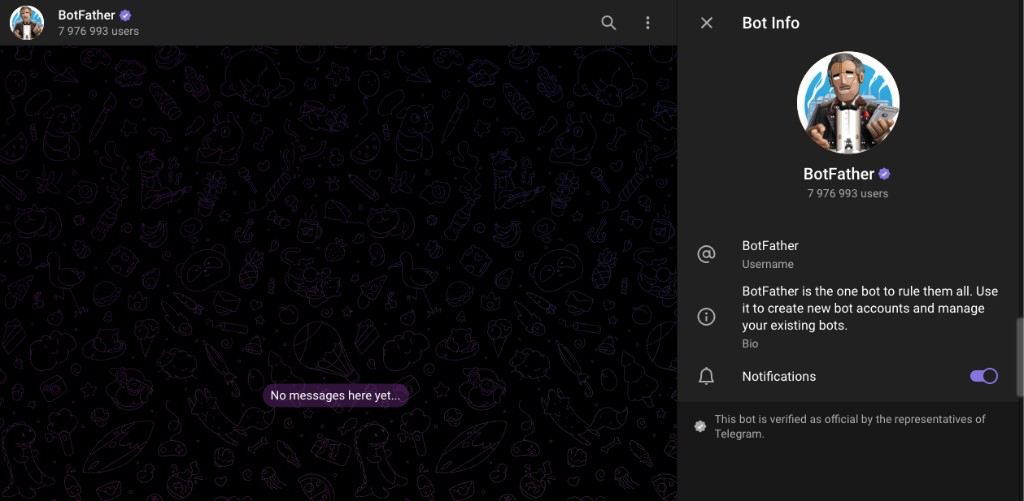
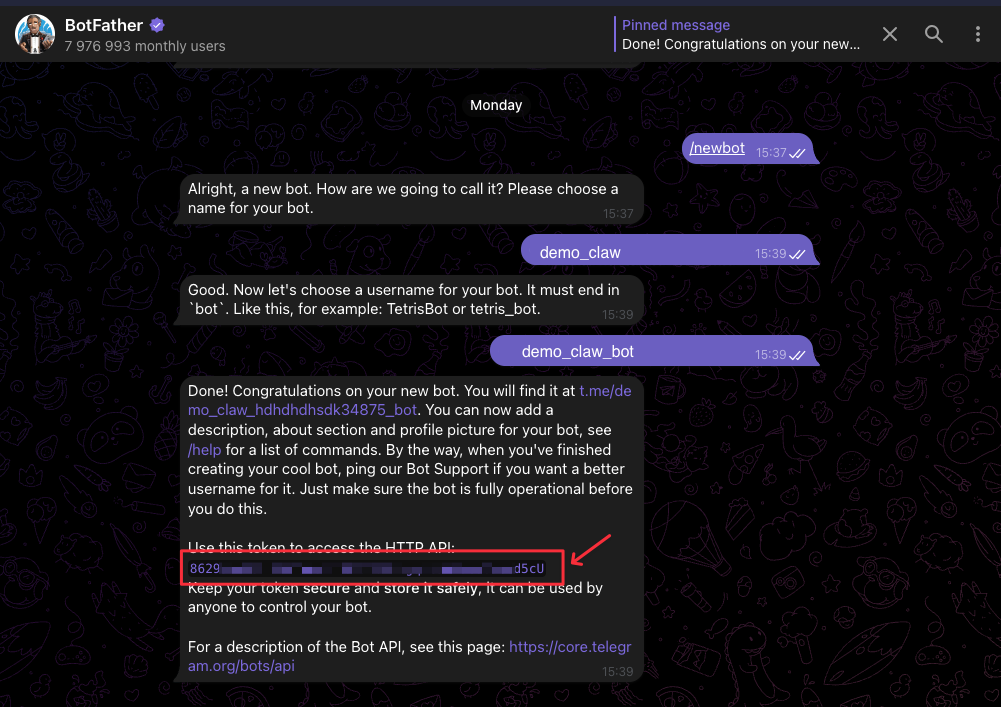
To find and use BotFather on Telegram, search for @BotFather in the app and select the account with the blue verified tick. Use the /newbot command to create a new bot and follow the instructions to set a name and username. Get Token: BotFather will provide an API Token, which you must save securely to connect your OpenClaw.

Get Your Bot Token from BotFather
2

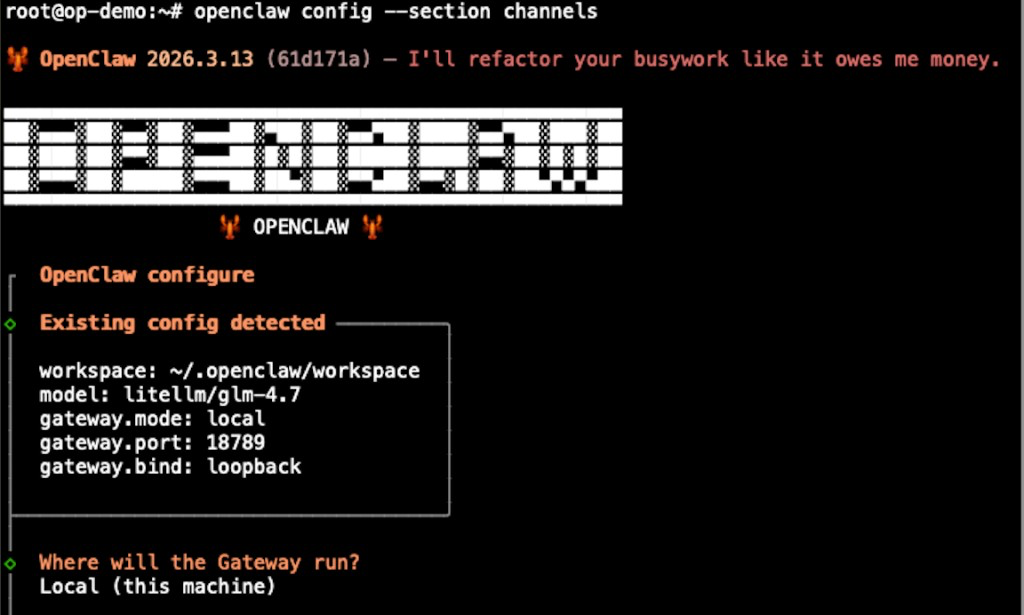
Run the Config Wizard

Launch the OpenClaw configuration wizard to begin setting up an integration. When prompted for the deployment type, choose "Local" to configure a local integration.

$ openclaw config
Run the Config Wizard
3

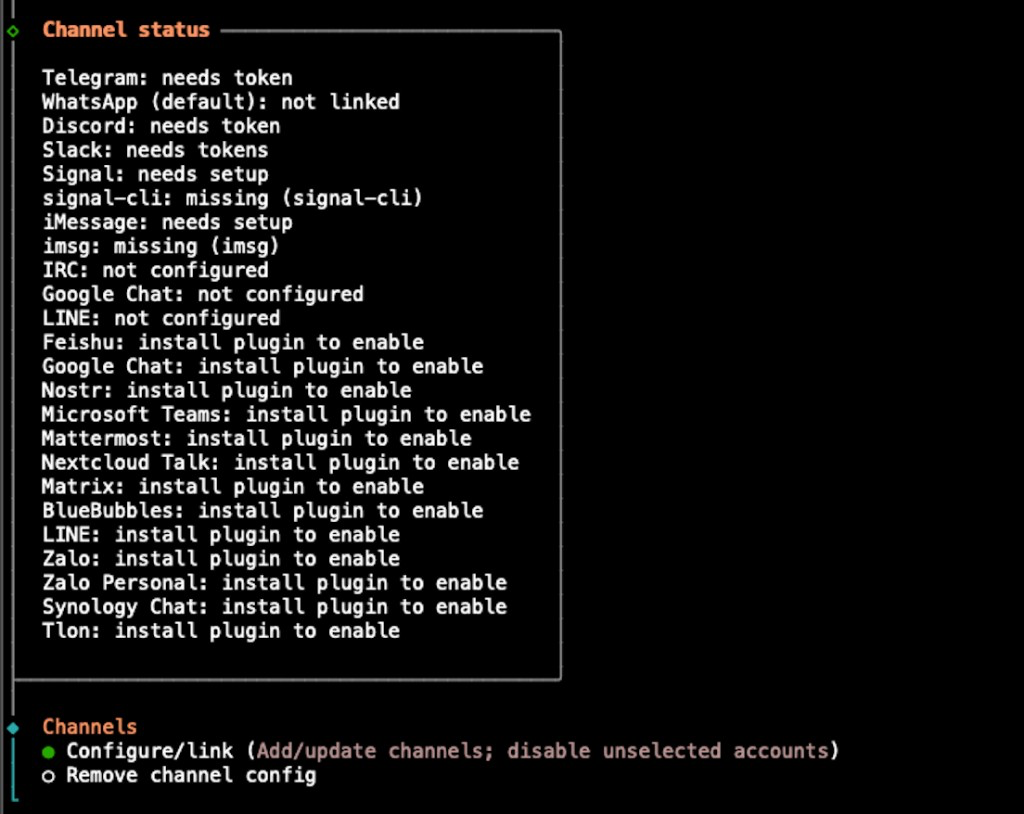
Select "Channels"

From the integration category list, select "Channels" to proceed to channel configuration.

Select "Channels"
4

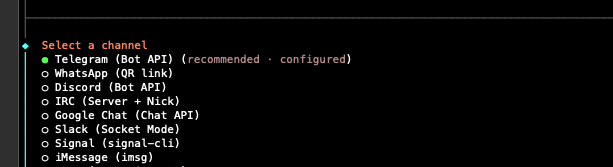
Select "Telegram (Bot API)"

Choose "Telegram (Bot API)" from the available channel options.

Select "Telegram (Bot API)"
5

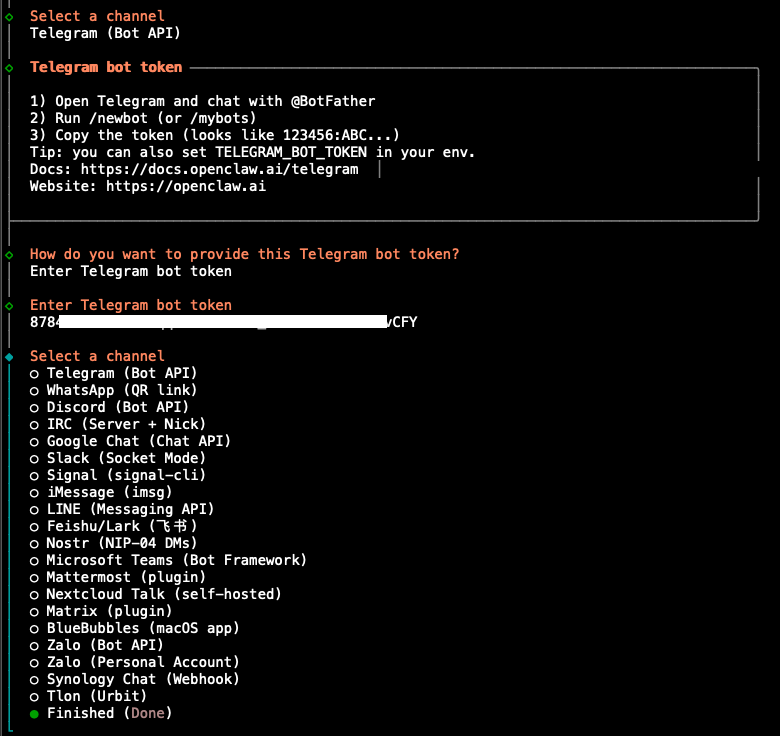
Enter Your Telegram Bot Token

Paste the Telegram bot token obtained from BotFather in the previous steps when prompted.

Enter Your Telegram Bot Token
6

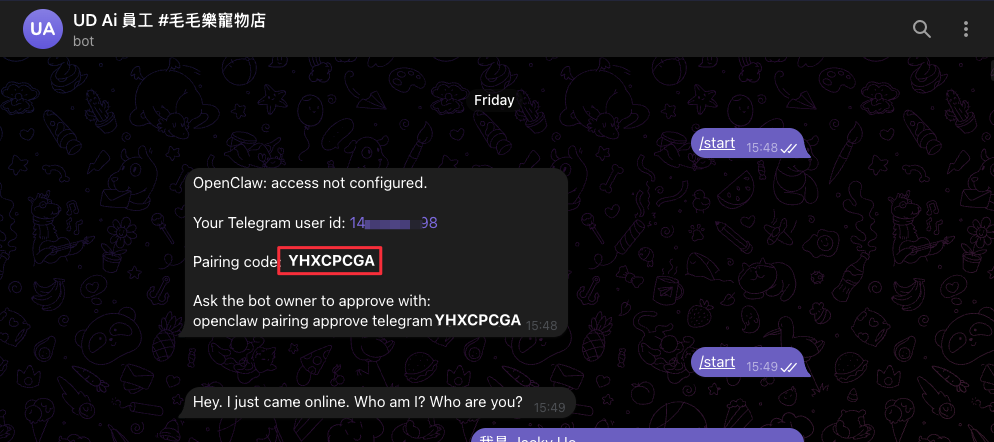
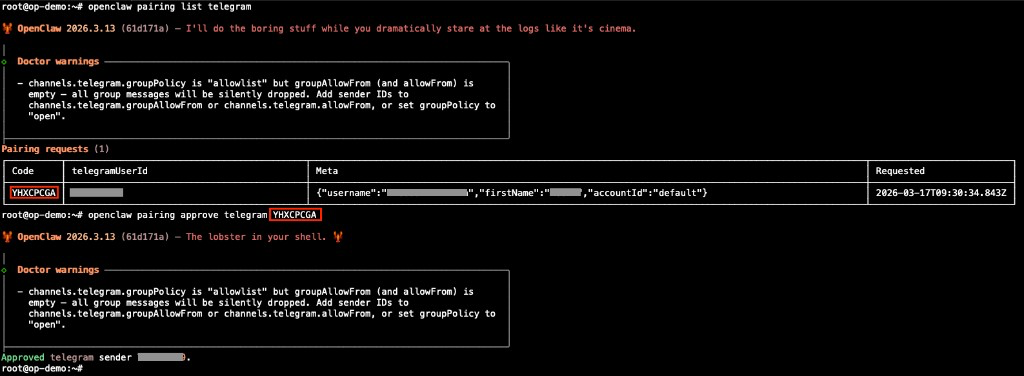
Approve the Pairing

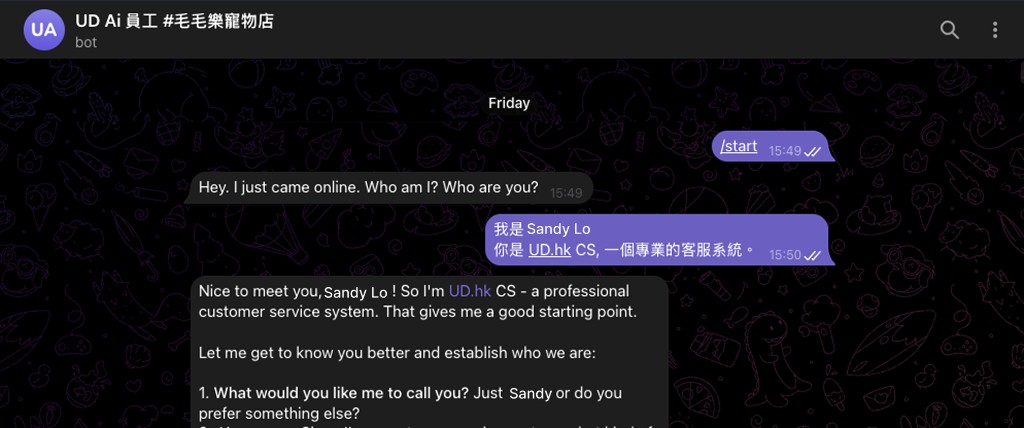
Open the bot channel in Telegram and send /start. The bot will reply with a pairing command starting with "openclaw pairing approve telegram ...". Copy that command and paste it into your terminal to complete the connection.

Approve the Pairing
infinite cat

Our experienced technical team can craft customized AI solutions tailored to your unique business needs, unlocking transformative possibilities.

epand enquiry box