Tutorials
AI Crawlers Explained: GPTBot, ClaudeBot, and robots.txt
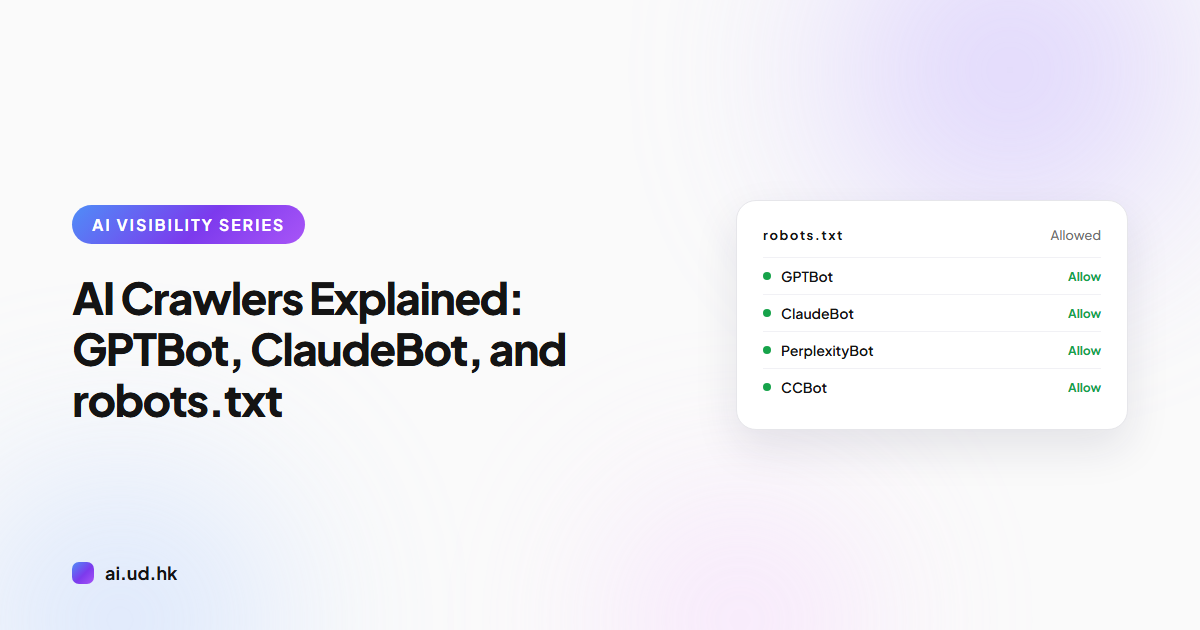
Meet GPTBot, ClaudeBot, and other AI crawlers: what they collect, how to welcome them in robots.txt, and how to spot CDN blocks in your server logs.
AI crawlers are automated programs run by OpenAI, Anthropic, and other AI companies that fetch the public content of your website. Their visits serve two purposes: collecting training data for AI models, and retrieving pages in real time when users ask questions. This guide covers the documented crawler list, how to write a robots.txt that welcomes them, how to find accidental blocks, and how to confirm their visits in your server logs.
The Major AI Crawlers: Who Is Visiting Your Site
AI crawlers fetch web content that is either folded into the training data of large language models or quoted in real time when an AI engine answers a question. These are the major names recorded in public documentation:
- GPTBot: operated by OpenAI, fetches public web content for model training.
- ClaudeBot: operated by Anthropic, collects training data for the Claude family of models.
- PerplexityBot: operated by Perplexity, builds the index behind its AI search engine.
- Google-Extended: a robots.txt control token from Google, not a crawler. It decides whether your content can be used for AI training, while the actual fetching is still done by Googlebot.
- CCBot: the Common Crawl crawler, which builds a public archive of the web. Many AI models draw training data from that archive.
Every crawler identifies itself in the User-Agent header of its requests. That header is how you recognize them.
Training vs. Live Retrieval: Two Purposes, Two Consequences
Training crawlers feed your content into training data, which shapes what future models know. If your brand and expertise appear in that data, the model is more likely to mention you when answering related questions later.
Live retrieval crawlers fetch pages at the moment a user asks a question. The AI engine quotes the content directly and often attaches a source link, so the effect is immediate exposure, closer to traditional search.
OpenAI is a useful example of why the distinction matters. It documents three separate crawlers: GPTBot for model training, OAI-SearchBot for ChatGPT search, and ChatGPT-User for live browsing on a user's behalf, and each one is controlled separately in robots.txt. Blocking GPTBot does not remove your site from ChatGPT search.
The consequences of blocking differ by type. Blocking training crawlers means long-term absence from what models know. Blocking retrieval crawlers means instant invisibility in AI search, so identify which type you are dealing with before you decide.
Writing a robots.txt That Welcomes Instead of Blocks
The default logic of robots.txt is simple: anything without a Disallow rule is allowed. To welcome AI crawlers explicitly, list them by name:
User-agent: GPTBot
Allow: /

User-agent: ClaudeBot
Allow: /

User-agent: PerplexityBot
Allow: /
An explicit Allow does two things. It declares an open stance, and it keeps these crawlers out of the reach of any blanket Disallow rules. The most common self-inflicted wound is User-agent: * paired with Disallow: /, which shuts out every crawler, AI crawlers included.
You can also add an llms.txt file to your site's root directory. llms.txt is a plain-text file proposal that uses Markdown to summarize your site's key content for large language models, and it complements robots.txt rather than replacing it.
Firewalls and CDNs: The Most Common Accidental Blocks
A welcoming robots.txt achieves nothing if requests are stopped at the firewall layer, because the crawler never gets far enough to read your content. This is the most common and the most invisible failure.
Bot management features in WAFs and CDNs frequently treat AI crawlers as malicious traffic, returning 403 errors or CAPTCHA pages. Some CDN providers even ship AI crawler blocking as a default setting, so site owners may have been blocking for months without knowing.
There are three places to check. Review the bot management settings in your CDN or firewall, look for block rules that target User-Agent strings, and confirm that rate limiting is not treating normal crawling as an attack. Where needed, add known AI crawlers to an allowlist.
Confirming AI Crawler Visits in Your Server Logs
The most direct method is to search your server access logs for crawler User-Agent strings such as GPTBot, ClaudeBot, PerplexityBot, and CCBot. Once you find entries, check two things.
First, the status codes. A 200 means the content was read successfully, a 403 means the request was blocked, and a 404 means the path does not exist. A large number of 403s is direct evidence of accidental blocking.
Second, authenticity. User-Agent strings can be spoofed, so some companies publish official IP ranges for their crawlers, and you can also verify sources with a reverse DNS lookup. Note that if a CDN sits in front of your site, requests it blocks never reach the origin logs, so check the CDN's own logs or analytics panel.
FAQ
What is GPTBot?
GPTBot is OpenAI's web crawler. It fetches public web content for AI model training and can be controlled in robots.txt.
Does blocking GPTBot remove my site from ChatGPT search?
No. ChatGPT search relies on OAI-SearchBot, a separate crawler with its own robots.txt controls. GPTBot governs training data only.
Does blocking Google-Extended hurt my Google Search rankings?
No. Google-Extended only governs permission for AI training, and it operates independently of Googlebot's search indexing and ranking.
What is llms.txt?
llms.txt is a plain-text file proposal placed in a site's root directory. It uses Markdown to summarize the site's key content for AI models to read.
How do I confirm whether AI crawlers have visited my website?
Search your server access logs for User-Agent strings such as GPTBot and ClaudeBot, then check whether the status codes are 200.
Check Whether Your Site Is Open or Closed to AI
By now you probably want to know where your own site stands: whether robots.txt is blocking by accident, and whether AI crawlers can actually read your content. UDomain's free AEO Auditor (ai.ud.hk/aeo-auditor) checks your site's AI visibility settings, and you only need to enter a URL to see the results. AEO here stands for Answer Engine Optimization, the practice of making content easy for AI search engines to cite. It has nothing to do with the Authorized Economic Operator customs program or the similarly named stock ticker.
Related reading
Curious how visible your site is on AI?
Run a free 30-second scan and see your score and recommendations instantly.
Start free scan